A Lovable app stores its data in Supabase, on managed hosting by default. Self-hosting it is two jobs: redeploying the frontend, and migrating the database off managed hosting, the second of which normally costs a maintenance window. This article does both onto a single VPS, and performs the database cutover live through logical replication, so it drops no accepted write and logs no one out.
Lovable Cloud vs. your own Supabase
A Lovable project keeps its database in one of two places, and the migration differs between them.
Lovable Cloud is the default for new projects. It is a Supabase instance Lovable owns. There is no connection string and no service-role key, and the project does not appear in any Supabase dashboard you control, which rules out pg_dump. Migrating off it means CSV exports, replaying the repo’s schema migrations, and a script against the admin API for the auth users. It needs a maintenance window, because there is no database to stream changes from.
Bring-your-own Supabase is an ordinary Supabase project with full Postgres access. A no-downtime cutover is only possible here, because it is the only place a logical replication subscriber can attach.
Connecting an existing project happens in the editor under More tools > Cloud > “Already have a Supabase project? Connect it here”, which runs an OAuth flow against the Supabase account. It has to happen before any backend feature: the first time the app needs a database, Lovable provisions Lovable Cloud, with no switching afterward. The order that works is frontend first, then the Supabase connection, then auth and tables.
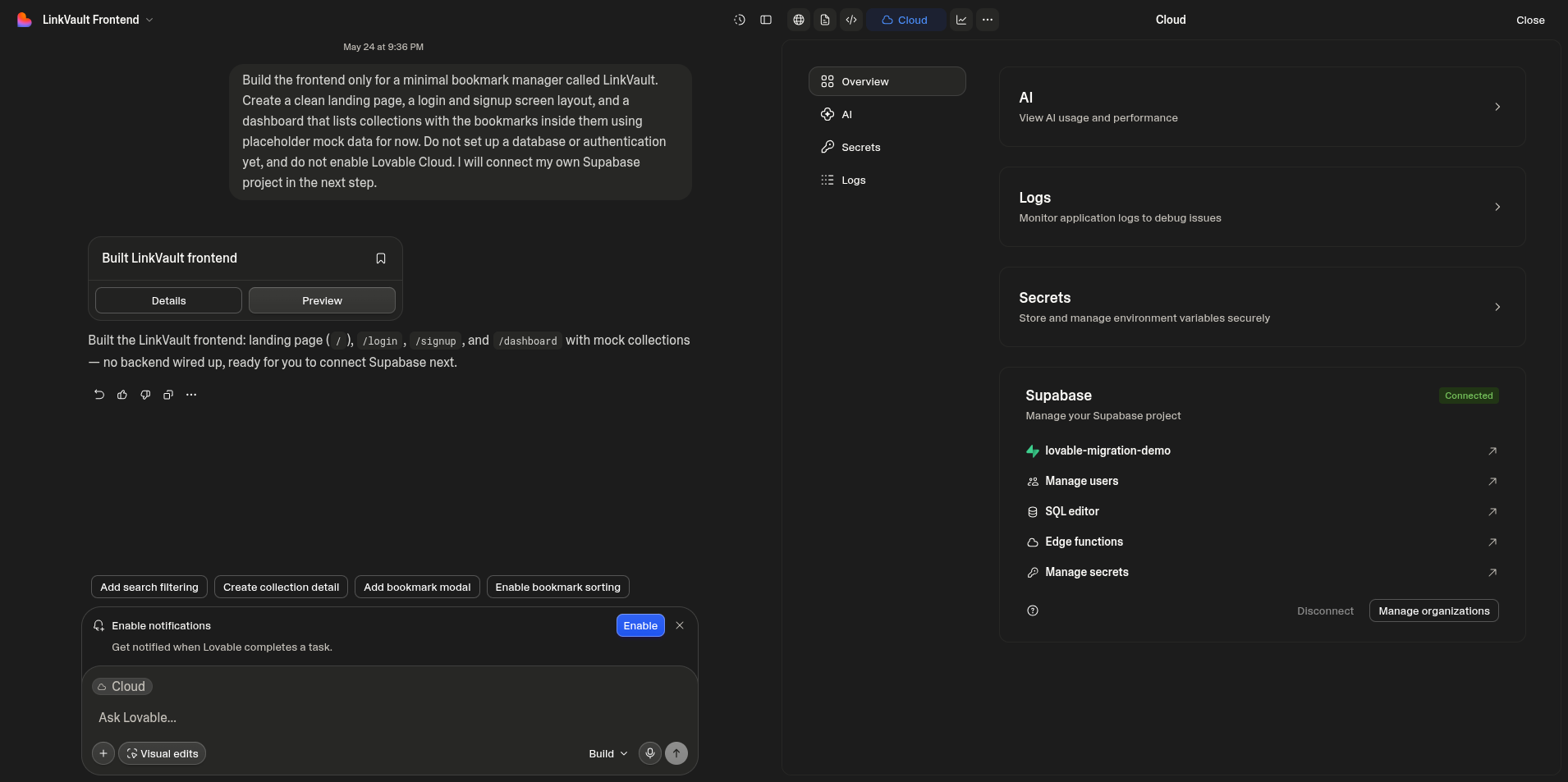 Lovable connected to a bring-your-own Supabase project; Lovable Cloud was never enabled.
The demo app
The starting point is LinkVault, a small bookmark manager built in Lovable. It touches the database features a migration has to carry across: email and password auth, a collections table, a bookmarks table with a foreign key back to it and a bigint generated always as identity column (so there is a sequence), row-level security on both tables, and a storage bucket for avatars. Lovable writes the SQL migration for all of it and runs it against the connected Supabase project.
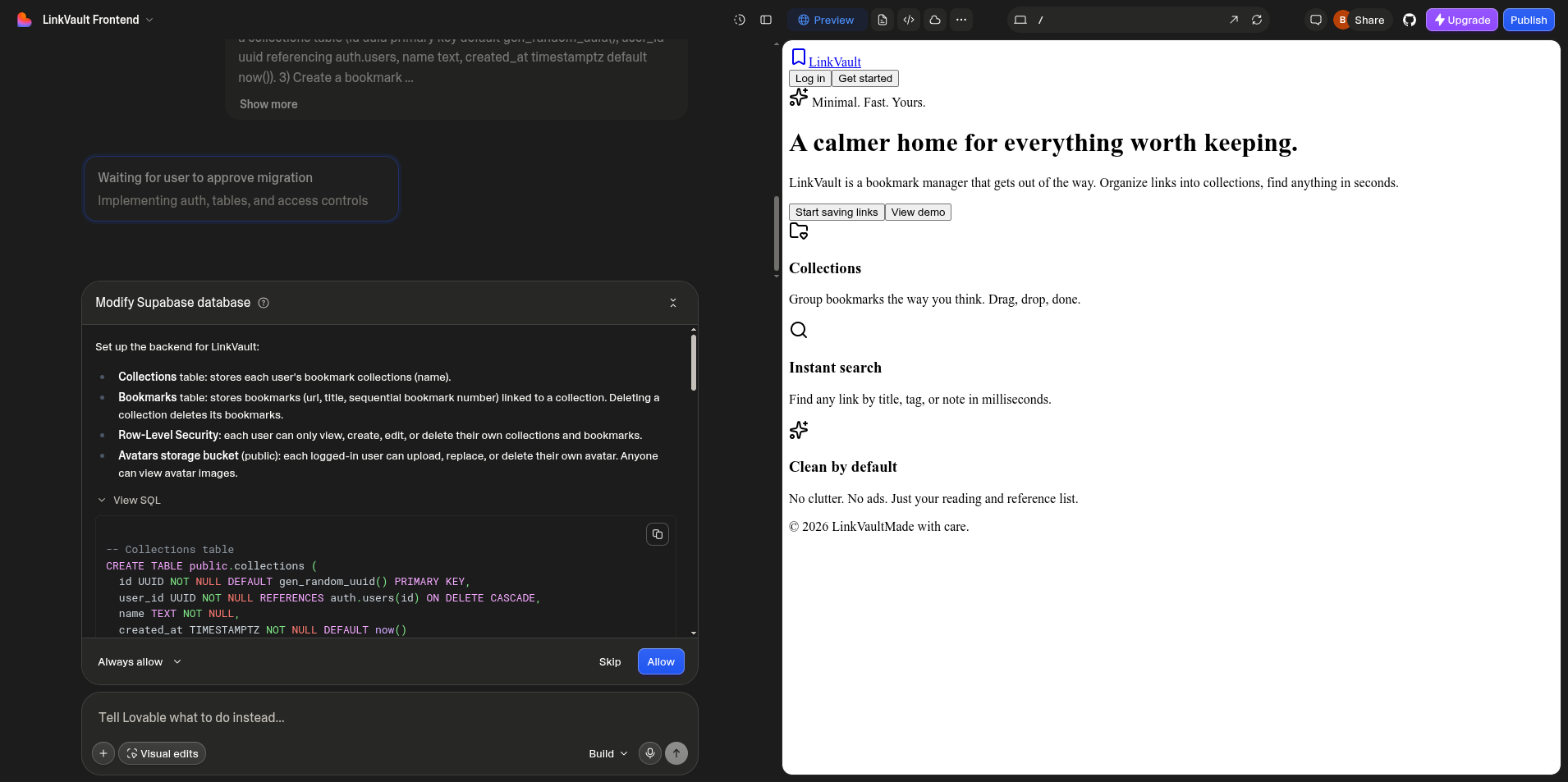 The generated migration: two tables, the identity sequence, foreign keys, and a row-level security policy per operation.
The frontend
Lovable generates a TanStack Start app configured for Cloudflare Workers. The repo ships a wrangler.jsonc and depends on @cloudflare/vite-plugin:
// wrangler.jsonc
{
  "compatibility_date": "2025-09-24",
  "compatibility_flags": ["nodejs_compat"],
  "main": "src/server.ts",
}
vite build produces dist/client (browser assets) and dist/server/index.js (a Worker bundle). Self-hosting it means either running that Worker with workerd or retargeting the build to a Node server. This setup runs the Worker directly.
The browser client reads its Supabase config from build-time variables, VITE_SUPABASE_URL and VITE_SUPABASE_PUBLISHABLE_KEY. Changing them and rebuilding repoints the app at a different backend.
Self-hosted Supabase on the VPS
Supabase publishes its whole platform as a Docker Compose stack. The official self-hosting guide covers the details; the short version is to clone the repo, take its docker directory, fill in the secrets, and bring it up:
git clone --depth 1 https://github.com/supabase/supabase
cp -r supabase/docker /root/supabase && cd /root/supabase
cp .env.example .env
# set the secrets in .env: JWT_SECRET, ANON_KEY, SERVICE_ROLE_KEY, dashboard login
docker compose pull
docker compose up -d
That brings up the full platform: Postgres, Kong, GoTrue, PostgREST, Realtime, Storage, Studio, and the Supavisor pooler. An 8 GB x86 VPS runs all of it.
The Postgres major version has to line up before any data moves.
psql "$CLOUD_DIRECT_URL" -tAc 'show server_version;'
# 17.6
The self-hosted Postgres has to be the same major version as the source or newer, because logical replication is not guaranteed from a newer publisher to an older subscriber. The source here is 17.6, so the target runs Postgres 17, which Supabase provides through its docker-compose.pg17.yml overlay.
Supabase also ships a docker-compose.caddy.yml overlay that fronts the stack with Caddy and automatic TLS. This setup uses its own Caddyfile instead, because the cutover later has to repoint the API without touching the frontend, so the two get separate hostnames:
api.example.com  { reverse_proxy 127.0.0.1:8000 }   # Kong
app.example.com  { reverse_proxy 127.0.0.1:3001 }    # the frontend
Docker publishes container ports straight through the host firewall, so a ufw rule does not keep Postgres off the internet; a cloud-provider firewall in front of the network interface does. Only 22, 80, and 443 are open here.
JWT verification
Copying the cloud project’s JWT secret onto the self-hosted side is not enough to keep sessions working. The anon/publishable key is an HS256 token and does verify with the shared secret, but user session tokens are signed with an asymmetric key (ES256); the HS256 secret is only kept as the previous key. A self-hosted PostgREST that knows only the secret rejects those tokens:
{ "code": "PGRST301", "details": "No suitable key was found to decode the JWT" }Give PostgREST a JWKS that contains both the cloud’s public ES256 key (published at .../auth/v1/.well-known/jwks.json) and an HS256 key built from the shared secret. The compose file plumbs JWT_JWKS through to PostgREST. After restarting the container, all three token types verify:
cloud ES256 user token   200
self-hosted HS256 token  200
anon key                 200
Schema and replication
Logical replication copies rows, not structure, so the tables have to exist on the target first. Only the public schema needs dumping; auth and storage already exist on the Supabase image:
pg_dump "$CLOUD_DIRECT_URL" --schema-only --schema=public > schema.sql
docker exec -i supabase-db psql -U supabase_admin -d postgres < schema.sql
Create a publication on the source. The postgres role can publish tables it owns:
CREATE PUBLICATION linkvault_pub FOR TABLE public.collections, public.bookmarks;auth.users is owned by an internal role and cannot be added to a postgres-owned publication, so it does not stream. It is handled at cutover instead.
Supabase Cloud’s direct database host is IPv6-only, and Docker containers have no IPv6 egress by default. The host reaches the source; the Postgres container does not, and the subscription fails with Network unreachable.
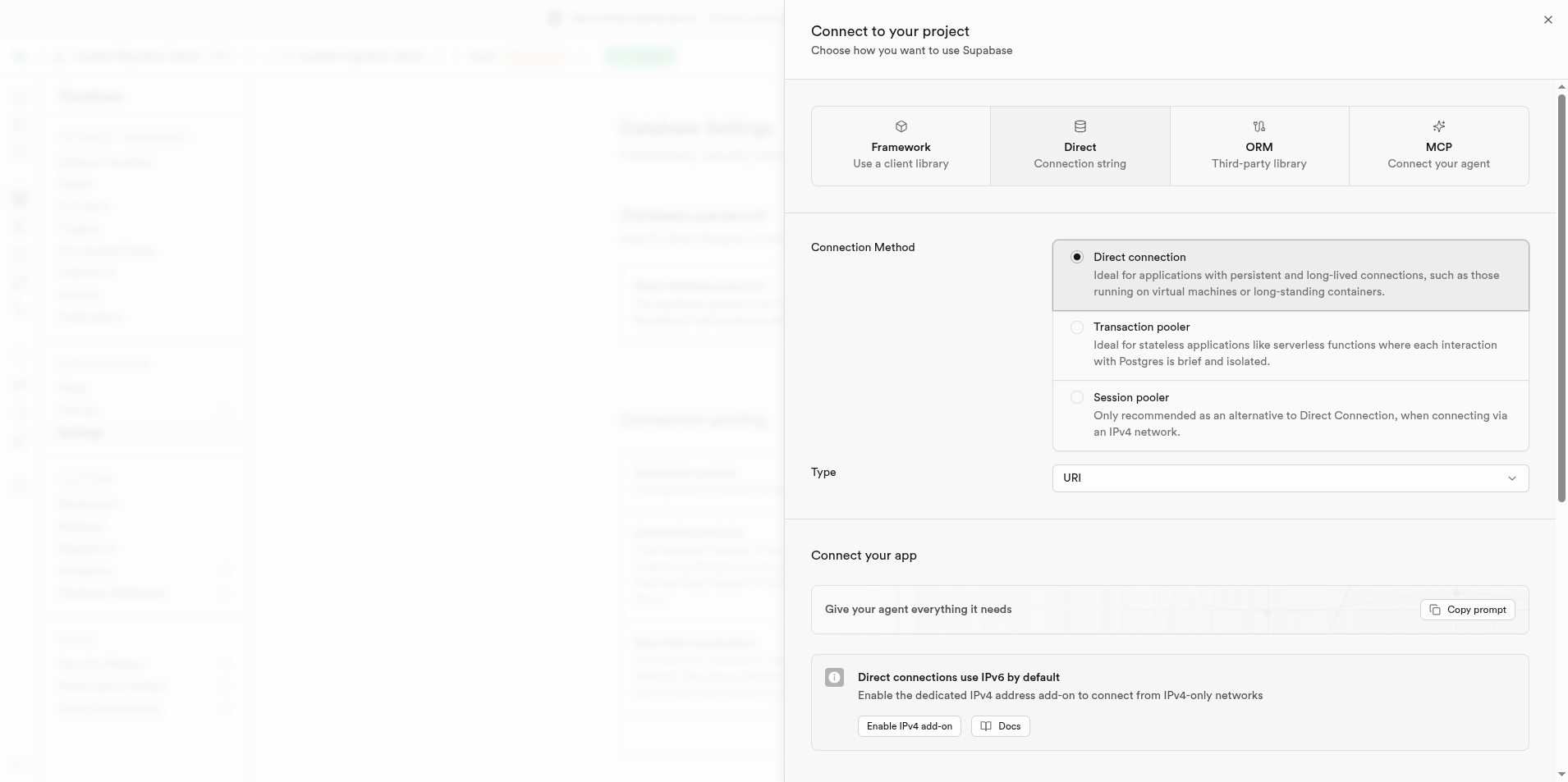 Supabase direct connections are IPv6-only. The VPS reaches it natively; the Docker container needs IPv6 enabled.
Enabling IPv6 in the Docker daemon is not sufficient, because Compose creates its network IPv4-only. Set ipv6 and ip6tables in daemon.json and enable_ipv6 on the Compose network. The subscription then connects:
CREATE SUBSCRIPTION linkvault_sub
  CONNECTION 'host=db.<project-ref>.supabase.co port=5432 user=postgres password=... sslmode=require'
  PUBLICATION linkvault_pub;
-- NOTICE: created replication slot "linkvault_sub" on publisher
Create it as the supabase_admin superuser. It has REPLICATION and BYPASSRLS, and the apply worker runs with foreign-key and trigger checks off, so child rows replicate before their auth.users parents exist on the target. Initial copy is immediate for a small dataset, and streaming lag falls to zero.
Redeploying the frontend
Point the browser client at the API hostname (not directly at *.supabase.co, so the cutover can change the upstream) and build:
# .env
VITE_SUPABASE_URL=https://api.example.com
VITE_SUPABASE_PUBLISHABLE_KEY=<anon-key>
bun install && bun run build
The TanStack preview server expects the built Worker at dist/server/server.js, but the Cloudflare build writes dist/server/index.js, so alias it, then run the Worker in workerd through the preview server, kept alive as a systemd service behind Caddy:
cp dist/server/index.js dist/server/server.js
bun run preview -- --host 127.0.0.1 --port 3001
A production setup would retarget the build to a Node server rather than use the preview command. The API hostname still points at the cloud Supabase, so the app behaves as before.
The cutover
The switch itself happens at Caddy. Before the cutover, api.example.com proxies to the cloud Supabase; afterward it proxies to the self-hosted Kong, and a graceful caddy reload moves it from one to the other without dropping connections. Two things have to be true at the moment of the swap.
Replication copies the identity column’s values but not the sequence counter, so without adjustment the first insert on the target reuses bookmark_no = 1 and collides. The target sequence is set above the source’s high-water mark before the flip:
-- source was at 291
select setval('public.bookmarks_bookmark_no_seq', 291 + 1000);
The auth users also have to be present. auth.users did not stream, so they are created on the target with the same IDs before the flip, because the foreign keys and RLS policies reference them. With live signups, that table is snapshotted during the drain.
To measure the cutover, a script wrote one bookmark every 200 ms through the API and recorded every response while the flip happened mid-run. Of 186 requests:
total 186   ok 185   failed 1
split: 66 writes on cloud (before)   119 on self-hosted (after)
The 66/119 split shows traffic moved to the new backend mid-stream. The single failure was the request in flight at the reload, which got its connection reset; a client retries it. A drain step before the swap removes it.
Database state after:
185 successful writes, 185 rows on self-hosted
66 arrived by replication, 119 written directly after the flip
distinct sequence values: 185 (no duplicates)
missing: only the single failed request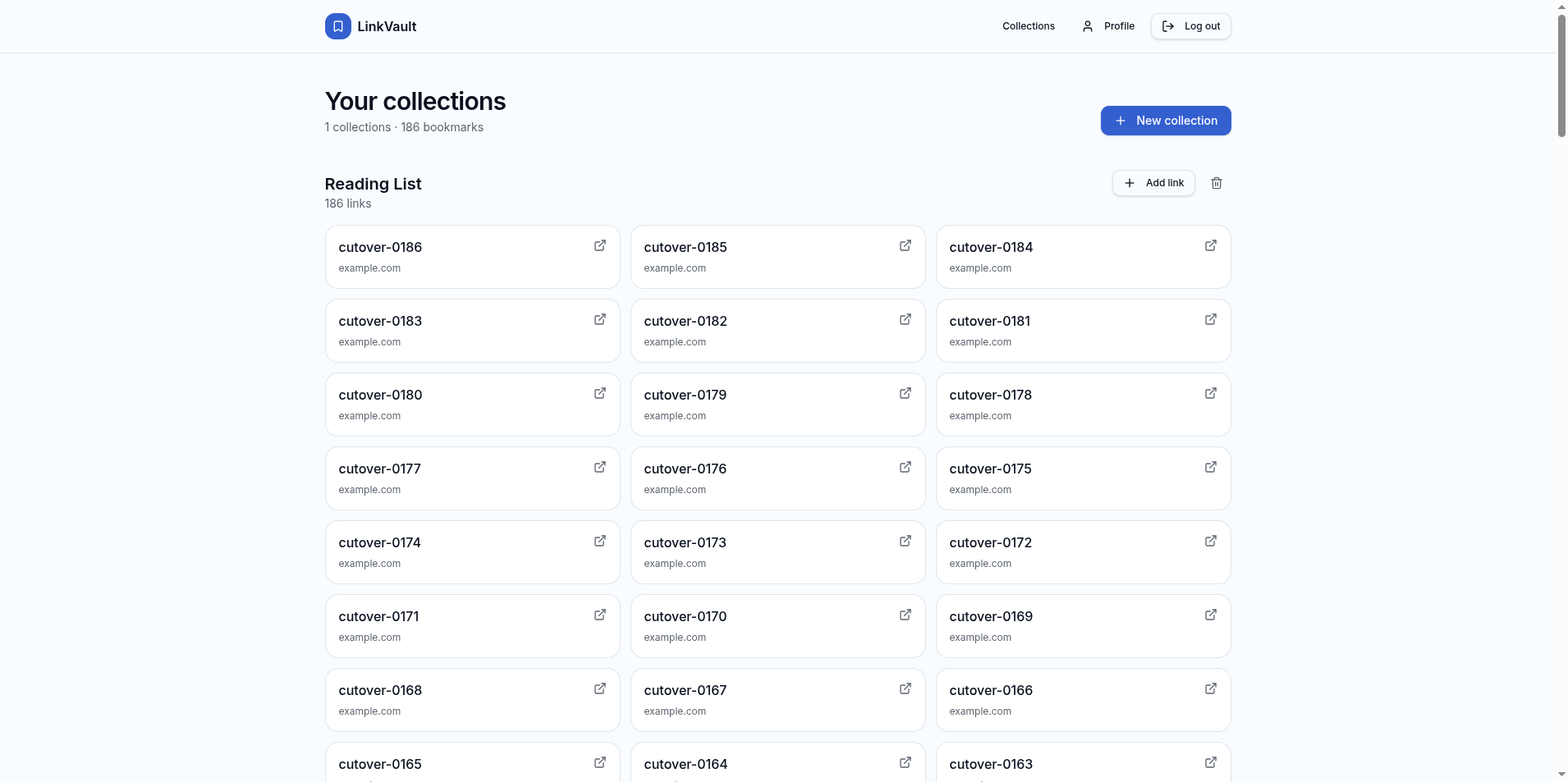 After the flip: the same session stayed active, served entirely by the self-hosted stack.
Because the self-hosted side trusts the cloud’s ES256 tokens, the session open before the cutover kept working without re-login. After confirming the swap, let replication drain the last in-flight writes, drop the subscription (which releases the slot on the source), and decommission the source:
DROP SUBSCRIPTION linkvault_sub; -- also drops the replication slot on the publisherWhat “no downtime” covers
The database answered queries on both sides throughout the swap, and every accepted write landed on the target exactly once. The session that was open before the flip kept working, so the user was never logged out. The single exception was the in-flight HTTP connection at the moment of the reload, which reset and had to be retried.
A few things do not come across in the replication stream. Storage objects are the files behind the metadata rows, not just the table data. Vault and pgsodium secrets dump as ciphertext and have to be re-entered. OAuth providers and pg_cron jobs that reference localhost need reconfiguring for the new environment.
If the app is on Lovable Cloud
Everything above assumes bring-your-own Supabase. A project on Lovable Cloud has no database connection to replicate from, so it cannot do the live cutover. The migration becomes an export and reload during a maintenance window:
- Stand up self-hosted Supabase as above, matching the source’s Postgres major version.
- Recreate the schema by replaying the migration files Lovable commits to the repo under
supabase/migrations/. There is nopg_dumpagainst the source, but the migrations reproduce the same schema. - Export the table data through what the Lovable Cloud panel provides: a per-table CSV export under Cloud > Database, or the project’s REST API for a programmatic pull. Load it into the self-hosted Postgres.
- Recreate the auth users on the self-hosted GoTrue with the same IDs, so the foreign keys and row-level security policies that reference
auth.usersstill resolve. Lovable Cloud gives no service-role key, so its admin API cannot read the users out; export them from the Cloud panel’s user list, with password hashes, then write them into the self-hosted GoTrue through its admin API (/auth/v1/admin/users), where the service-role key is available. - Rebuild the frontend against the self-hosted API and deploy it, the same build step as the bring-your-own path.
Writes have to stop while the data is exported and reloaded, so the app is briefly down. That window is the difference from the live cutover, not a different destination.
Result
The app now runs entirely on the VPS. The frontend is served from the box, the database is a self-hosted Supabase on Postgres 17, both sit behind Caddy and TLS, and the move off Supabase Cloud happened without taking the database offline. Live replication was the one piece that depended on bring-your-own Supabase; a project on Lovable Cloud uses a maintenance window instead, exporting and reloading its data rather than streaming it across live.